Welcome to Power of Sale Listings! This guide walks you through every feature on the site, from your first search to setting up email alerts so new power of sale listings land in your inbox automatically.
Browsing Listings
The Listings page is the heart of the site. It shows every active power of sale property in our database, aggregated daily from multiple MLS boards and lender sources across Ontario.
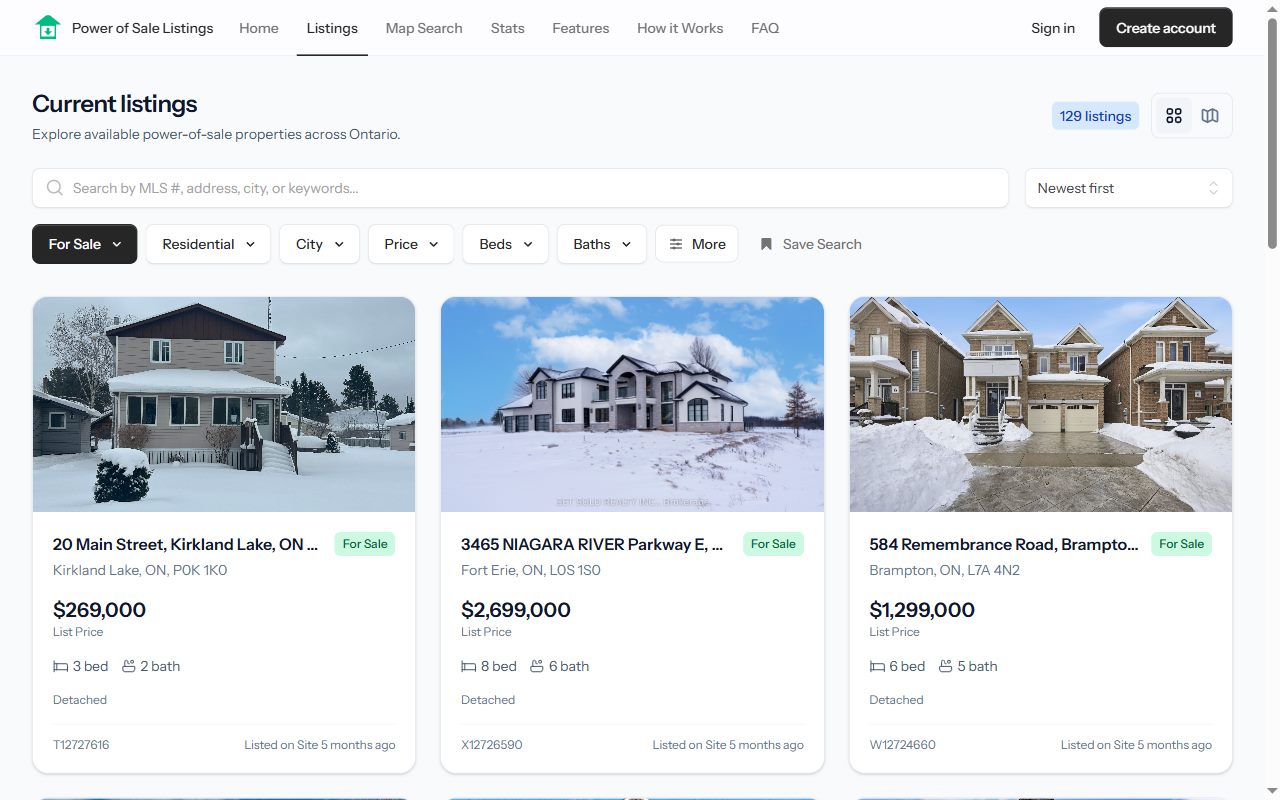
- Search and filter — Narrow results by location, price range, property type, and more. Filters update the results instantly as you change them.
- Sort — Order listings by newest, price, or other criteria to surface the properties that matter to you.
- Listing cards — Each card shows the key facts at a glance: photo, price, location, and property details. Click any card to open the full listing.
Map Search
Prefer to search visually? Switch to Map Search to see every listing plotted on an interactive map of Ontario.
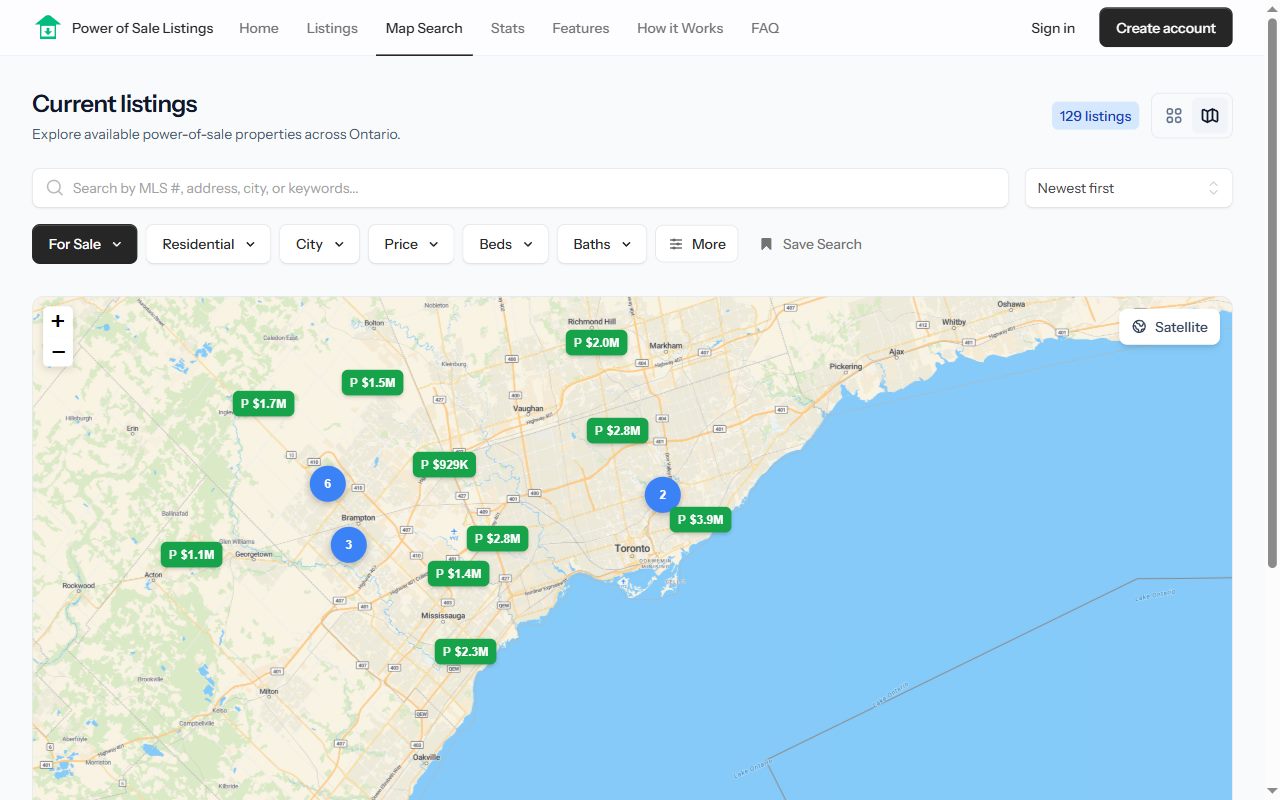
- Pan and zoom to your target neighbourhoods — the results update to match the area you're viewing.
- Click a marker to preview the listing and jump to its full details.
- Map search supports the same filters as the list view, so you can combine a price range with a specific area.
Listing Detail Pages
Every listing has its own page with photos, the full property description, key facts like beds, baths, and lot details, and room-by-room information where available.
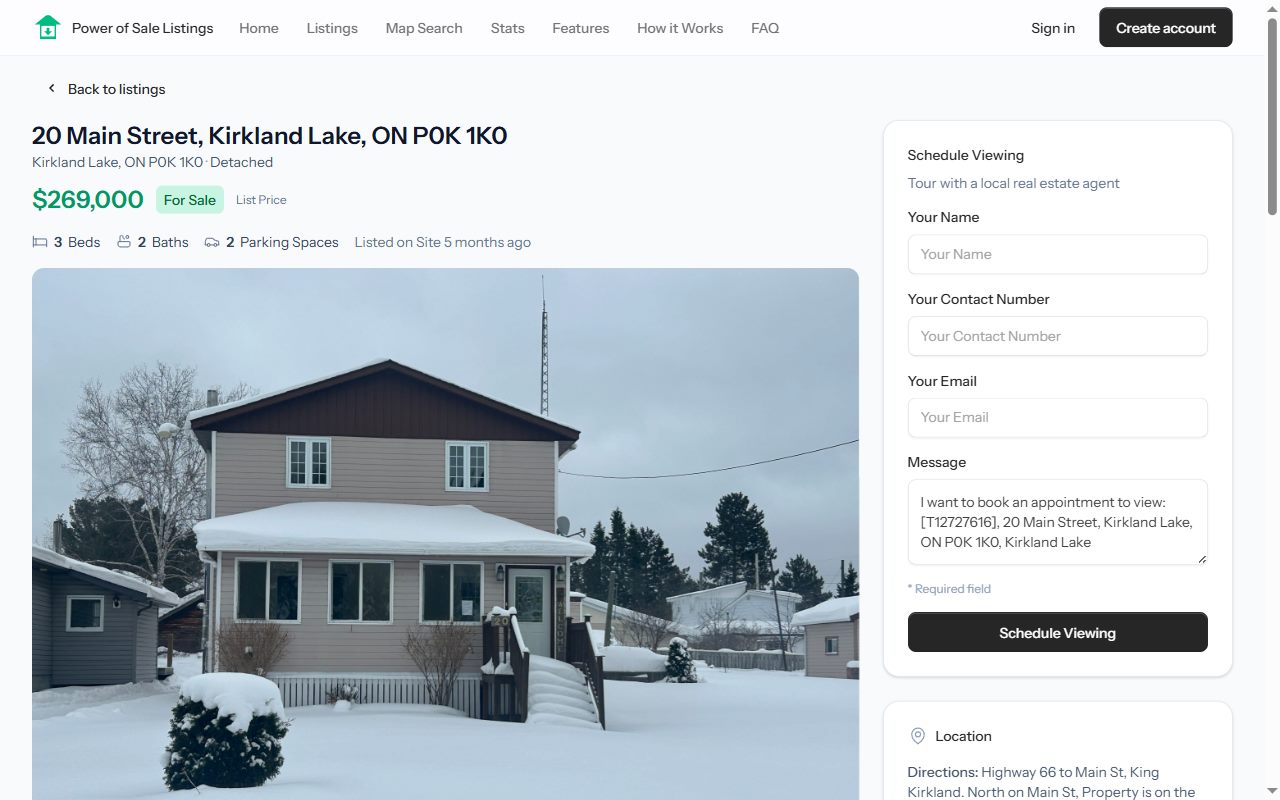
From a listing page you can:
- Browse the photo gallery for the property.
- Send an inquiry using the form on the page — your message goes directly to Jonathan Alphonso, who can help you review the property, schedule a viewing, and plan next steps.
- Call directly at 647-710-1351 if you'd rather talk it through.
Creating a Free Account
Some listing information is subject to real estate board VOW (Virtual Office Website) rules and can only be shown to registered, logged-in users. Creating a free account unlocks:
- Full listing details on VOW-protected listings, including information that must be hidden from anonymous visitors.
- Saved searches with email alerts so you never miss a new listing.
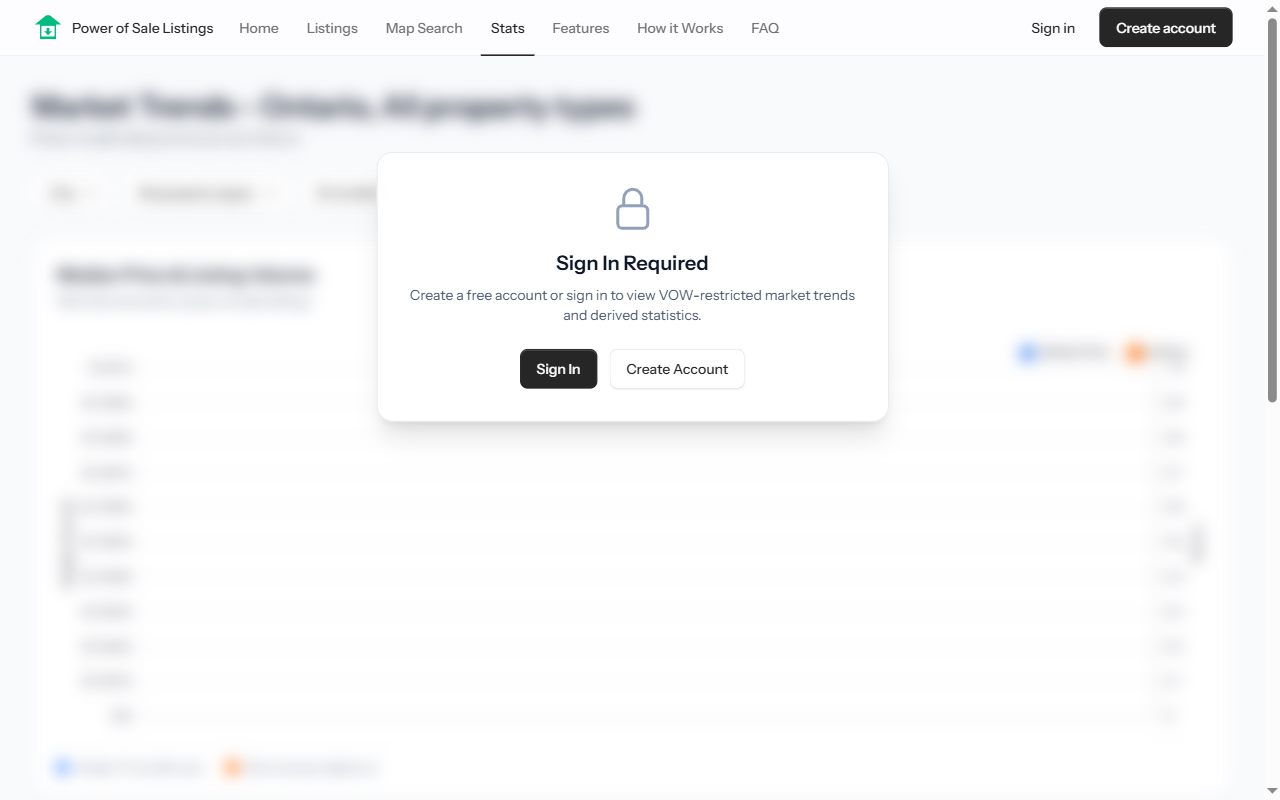
On your first login you'll be asked to accept the VOW terms of use — this is a board requirement for accessing the complete listing data. You can read more on our VOW compliance page.
Saved Searches and Email Alerts
Saved searches are the best way to stay ahead of other buyers:
- Set up the filters you care about on the Listings page (for example, detached homes under $800,000 in Durham Region).
- Save the search to your account.
- When new listings match your criteria, we email you so you can be among the first to act.
You can review and manage all of your saved searches any time from Saved Searches in your account menu, and control how you're notified from your notification settings.
Market Stats
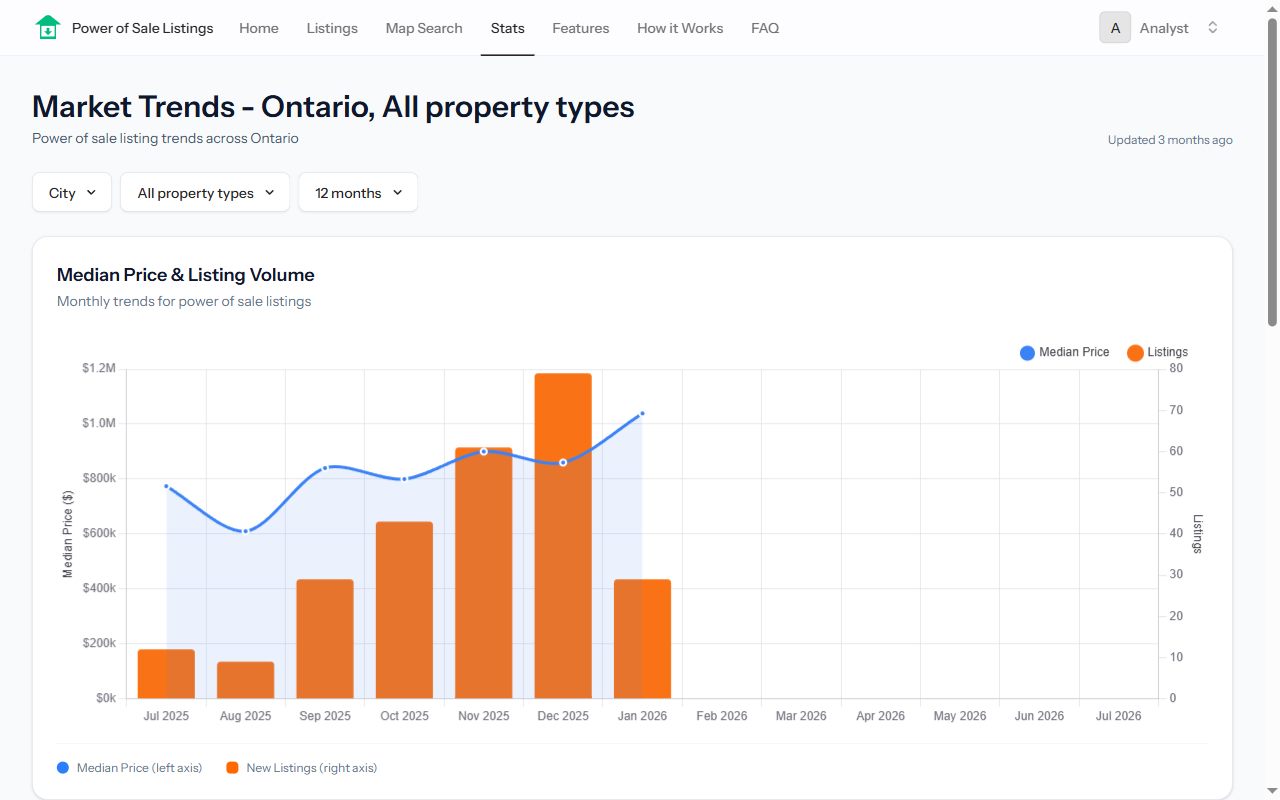
The Stats page shows market statistics and trends for power of sale properties across Ontario — useful for spotting where inventory is building and how pricing is moving before you make an offer.
Blog and Guides
- The Blog covers insights, news, and market updates on Ontario power of sale and foreclosure real estate.
- The Guides section (where you are now) collects step-by-step walkthroughs like this one.
- The FAQ answers the most common questions about power of sale properties and the buying process.
Your Account Settings
Once logged in, open the account menu in the top-right corner and choose Settings to manage:
- Profile — Update your name and email address.
- Password — Change your password.
- Appearance — Switch between light, dark, and system themes.
- Notifications — Control which emails you receive.
- Two-factor authentication — Add an extra layer of security to your account.
Getting Help
Have a question this guide didn't answer?
- Check the FAQ for common questions.
- Contact us through the site.
- Call Jonathan Alphonso at 647-710-1351.
Happy hunting — we hope you find a great deal!